
Progress photos for iPhone and Mac
Every photo lined up. One time-lapse at the end.
Take one photo a day from the same spot. Plumb Daily's guides help you line each one up with the first. At the end, you get a time-lapse of your whole build.
- No account
- No ads
- No tracking
- Photos processed on your device
You're on the list
You'll get one email when Plumb Daily is on the App Store. There's nothing else you need to do.
In TestFlight beta on iPhone and Mac
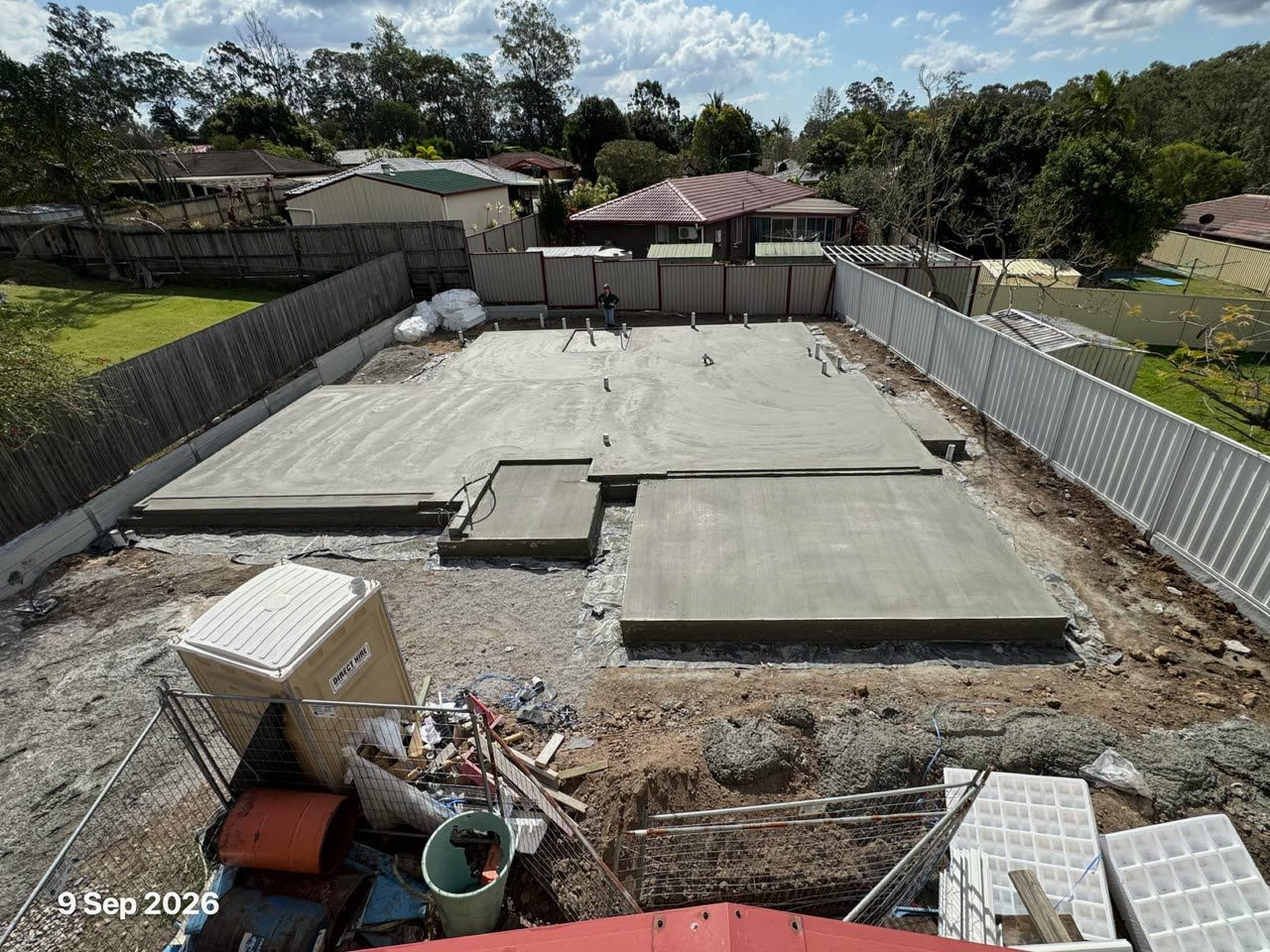
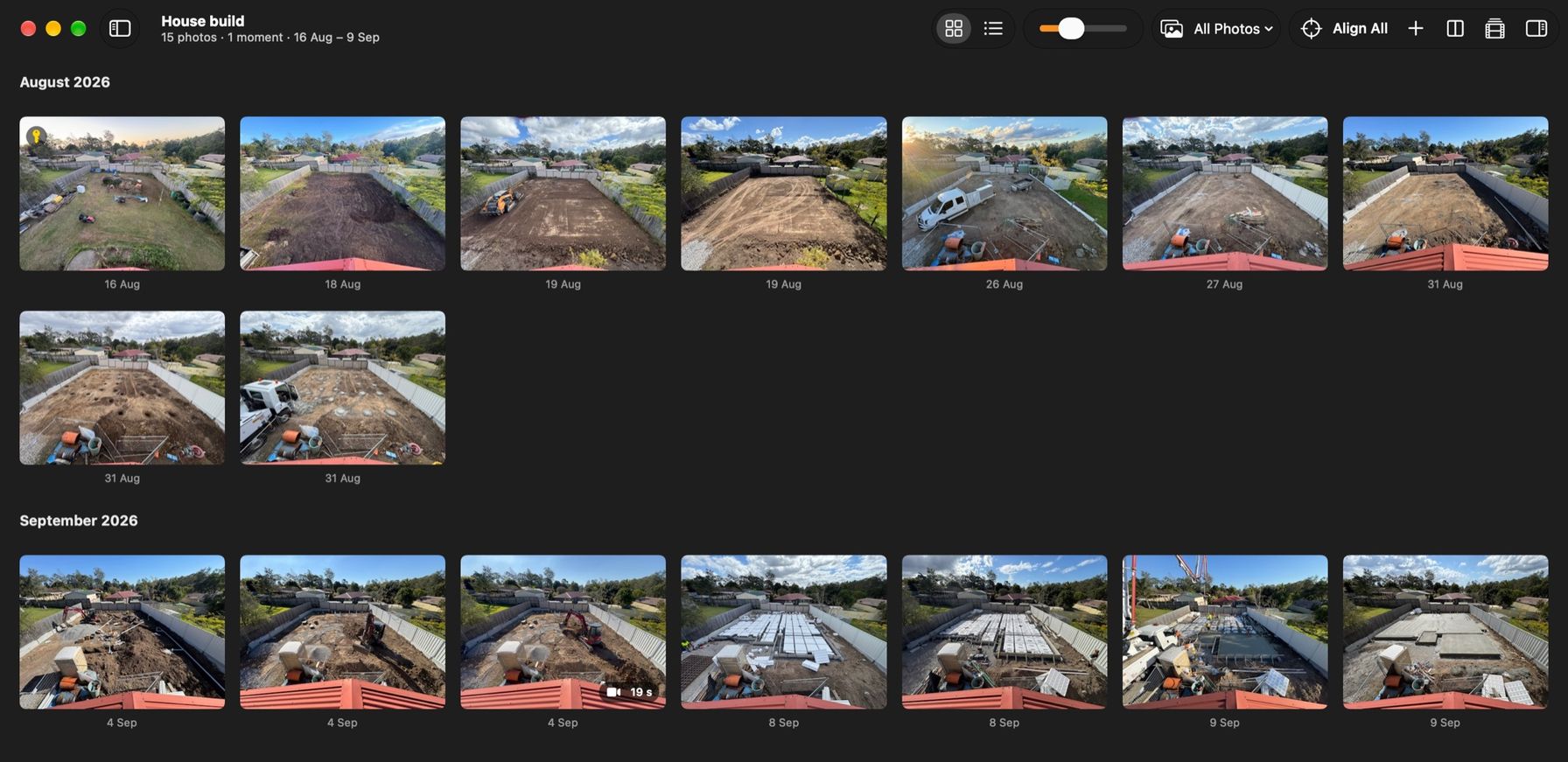
A real Plumb Daily export of Matthew's own house build – 15 photos from 16 Aug to 9 Sep 2026, lined up with the key photo and shown for one second each.
What the video shows
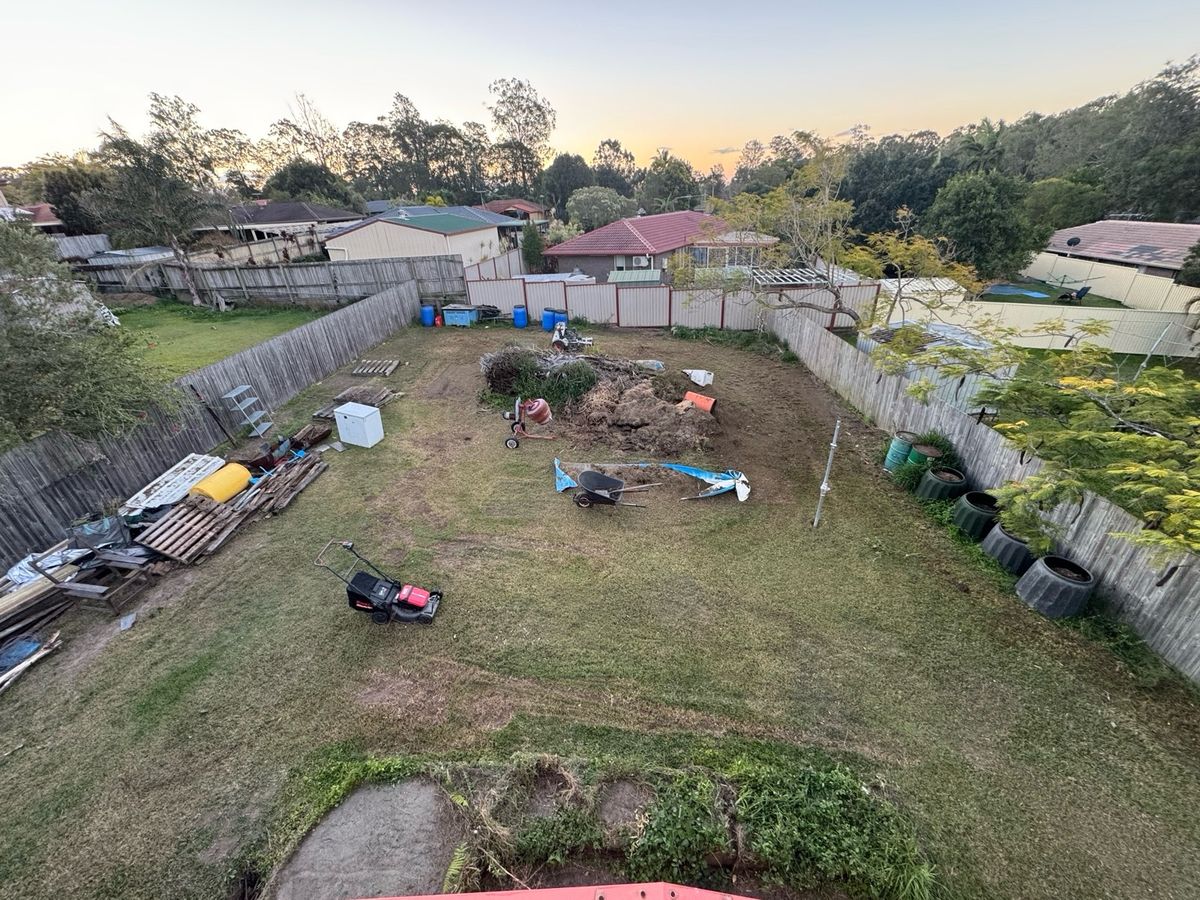
- 16 Aug: a mown backyard with a mower, wheelbarrow and pallets.
- 18–19 Aug: the yard cleared to bare soil, then levelled by a small orange machine.
- 26–27 Aug: a white ute and a trailer on site, and white sheeting along the side fence.
- 31 Aug: rows of holes dug across the pad, then filled with concrete.
- 4 Sep: a small red excavator, white pipes in open trenches and a portable toilet.
- 8 Sep: white waffle pods laid across the pad inside timber formwork.
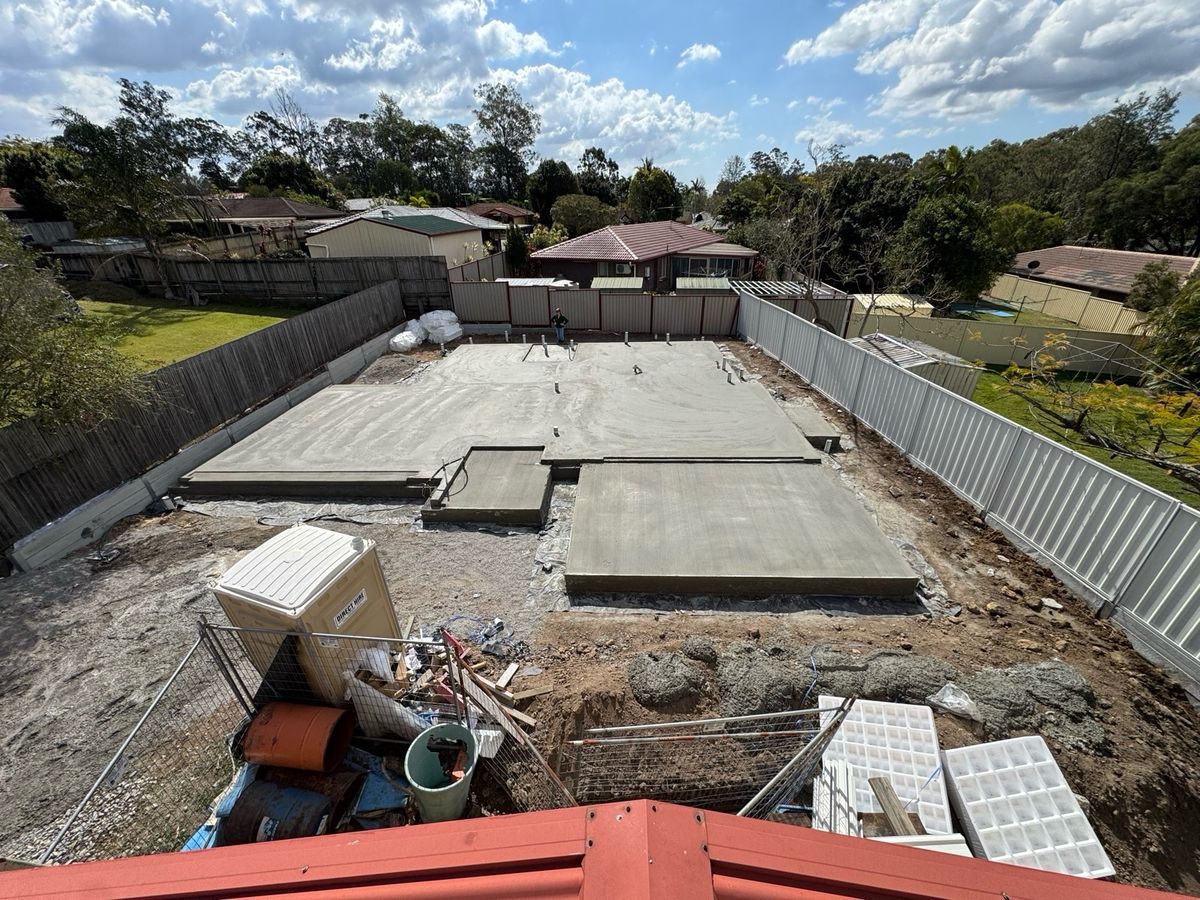
- 9 Sep: a concrete pump boom and workers in hi-vis pouring the slab, then the finished slab.
A time-lapse app for home builds
Plumb Daily is a time-lapse app for home builds, and for any project that changes over weeks or months. You take a photo from the same spot each day. The app helps you line each one up with the first. When you're ready, it turns the whole run into one video.
No tripod. No editing software. Just your iPhone and a spot you can stand in again tomorrow.
How it works, in 3 steps
- Set a key photo. Take the first photo of your project. Every later photo lines up with it.
- Take a photo each day. Stand in the same spot and match the key photo in the viewfinder.
- Export your time-lapse. Pick a style, preview it, then save it to your Photos library.
See how Plumb Daily keeps each photo aligned, step by step.
The same view from the roof, 24 days apart
On your iPhone and your Mac
The same App Store listing covers iPhone and Mac.
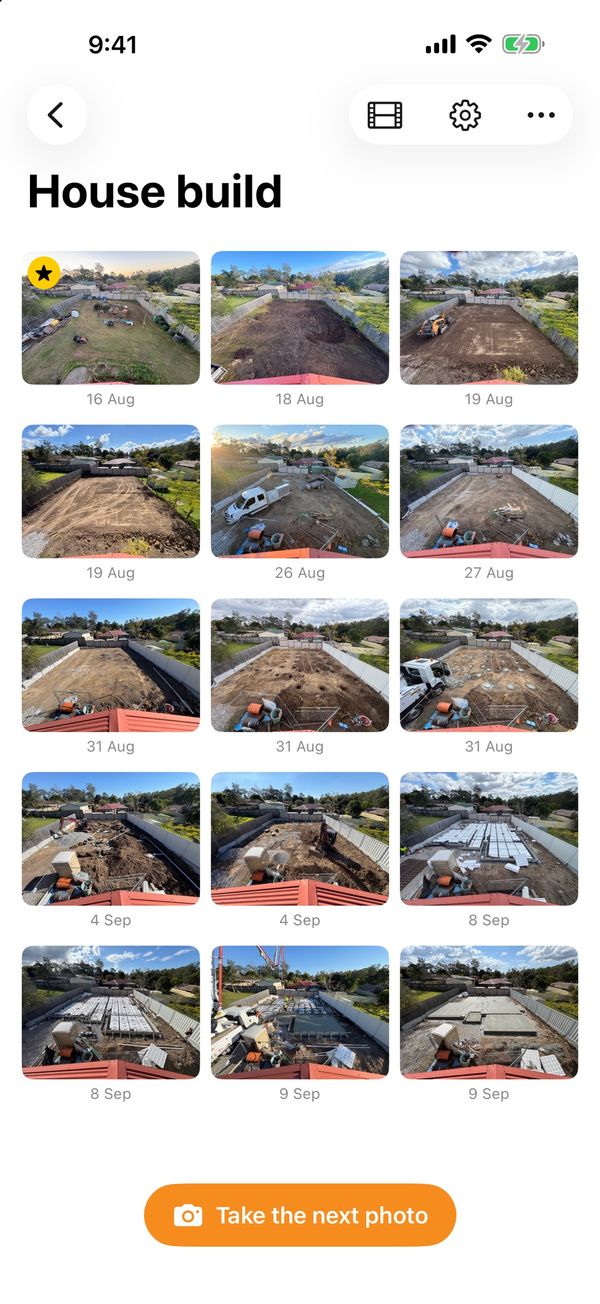
- Capture on iPhoneSet a key photo, then line up each day's photo with the overlay, stencil and spirit level. Record the big days as moments, and export a time-lapse or a slideshow.
- Review and export on MacTurn on Sync with iCloud and your scenes open on your Mac. Browse every photo, compare any 2 days, line them all up with Align All and export in HD or 4K.
Guides that help you match the first photo
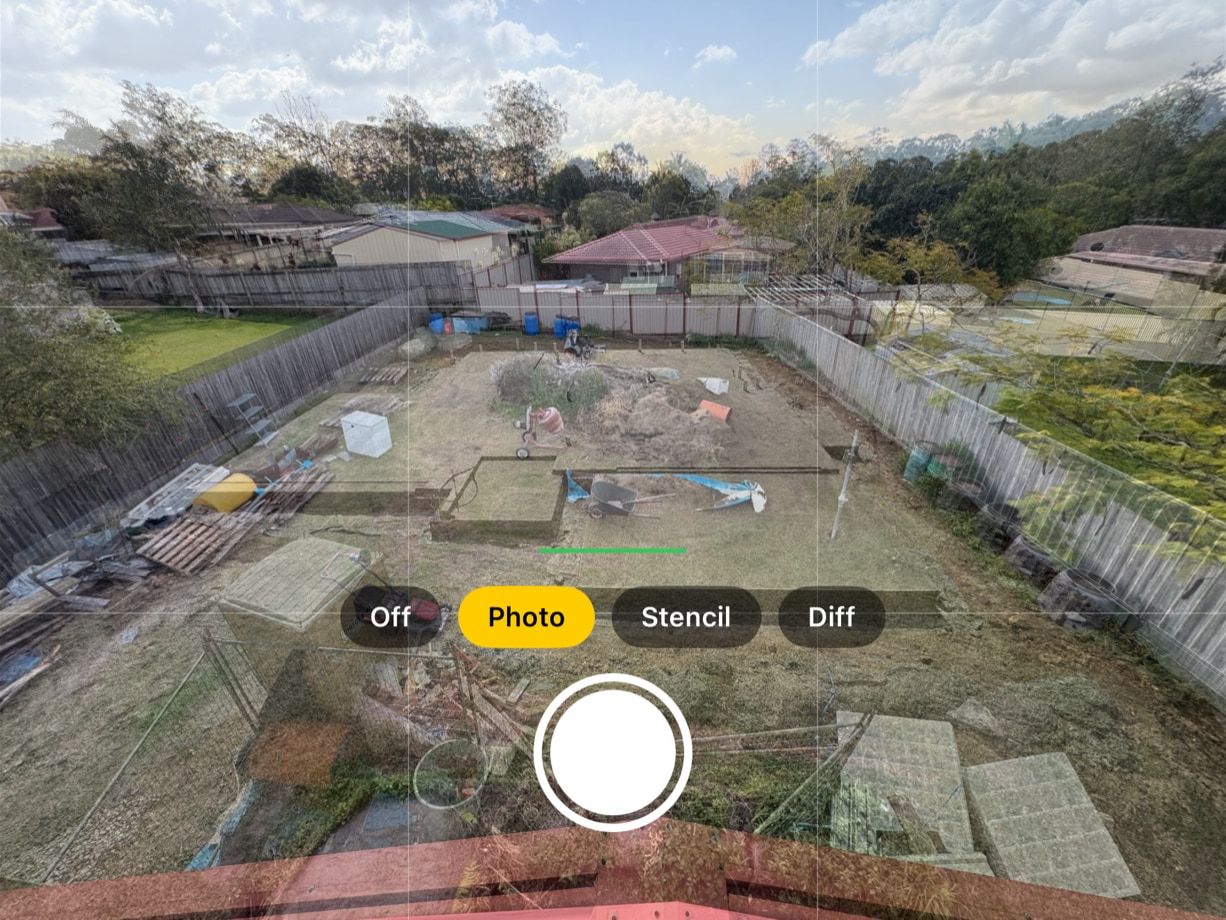
Phone photos drift. The framing shifts, the zoom changes and the horizon tilts.
Plumb Daily's viewfinder guides – a see-through overlay of your key photo, a stencil outline, a difference view, and a grid and spirit level – help you put the phone back where it was. See how each guide works.
Private, with no account and no tracking
Your build is your business. Plumb Daily keeps it that way:
- No account to create, no ads and no tracking or analytics.
- No Plumb Daily servers. Your photos never go to Platform21.
- The stencil, alignment and video all happen on your iPhone or Mac.
- Sync runs through Apple's CloudKit private database, in your own iCloud. Only you can see it – the developer can't.
- The app asks for the camera, your Photos library and, if you turn on reminders, notifications. It never asks for the microphone or your location.
The Plumb Daily privacy policy covers the app and this website.
Made for any project that changes over time
Plumb Daily suits anything that changes too slowly to notice day to day:
- A progress photo app for home builders – from slab to handover, with a builder or as an owner-builder.
- Renovation progress photos – from the first demolition photo to the final coat of paint.
- A garden progress photo app – so growth, not camera drift, is what the time-lapse shows.
- Time-lapses of murals, art and hobby projects – one aligned photo a day, for as long as it takes.
It also suits tradespeople who want to show a client how a job came together. See who Plumb Daily is for.
Why I built Plumb Daily
I'm Matthew Sweet. I built Plumb Daily to record my own new home build.
I wanted a time-lapse of the house going up. But photos taken on a phone never quite line up. The framing drifts, the zoom changes and the horizon tilts, so the finished video jumps about.
So I built the app I wanted. Set the first photo. Match it every day. Export the lot at the end. The name comes from the plumb line – the builder's tool for a true vertical.
Plumb Daily is in TestFlight beta now, on iPhone and Mac. I make it on my own in Australia, under my business, Platform21.
– Matthew
Questions before you join the waitlist
How much will Plumb Daily cost?
Pricing isn't decided yet. It will be on the App Store listing when the app is released. Join the waitlist and you'll get one email when that happens.
Does it work on iPhone and Mac?
Yes. The same App Store listing covers iPhone and Mac, and your scenes sync between them through your own iCloud. The iPhone app needs iOS 18 or later. The Mac app needs macOS 15 or later, on Apple silicon or Intel. On a single iPhone, you don't need iCloud at all.
Does Plumb Daily upload my photos or track me?
No. There's no account, no ads and no tracking. All the image work happens on your device. Plumb Daily has no servers, so your photos stay on your devices and in your own iCloud.
Hear when Plumb Daily is on the App Store
You'll get one email when the app is out. Your address is never shared.