Release notes
0.1.0: the first iPhone beta
Scenes, a key photo to line up with, and your first time-lapse.
- iPhone
- TestFlight builds
- iPhone: builds 1–4, 8 August

I uploaded 0.1.0, the first Plumb Daily beta, to TestFlight on 8 August 2026. I built the app to record my own new home build from the same spot. This version ran on iPhone only, and a few things below have changed since – I've noted where.
New
Scenes and the key photo
- Make a scene for each project, such as a house build, a garden or a mural. The scene list shows each scene's latest photo and photo count.
- Swipe to delete a scene. Its reminder stops, and photos already in your Photos library stay there.
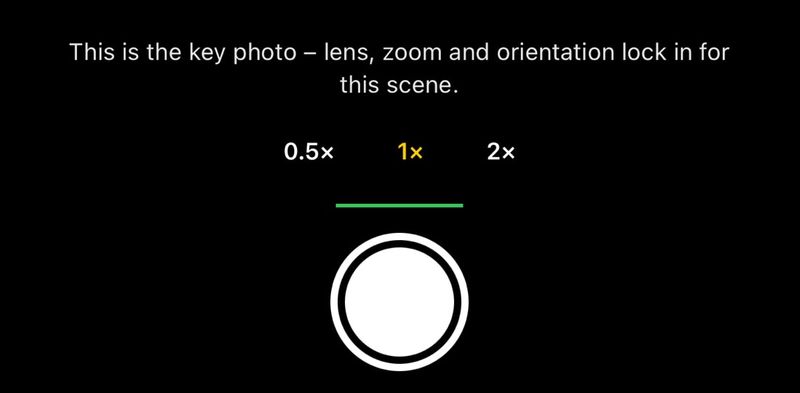
- Pick the lens while you frame a scene's key photo. Taking it locks the lens, zoom and orientation for later photos.
- The shutter stays greyed out, with a rotate hint, until the phone matches the key photo's orientation. Since 0.5.1, a landscape scene takes the phone held either way round.
Guides in the camera
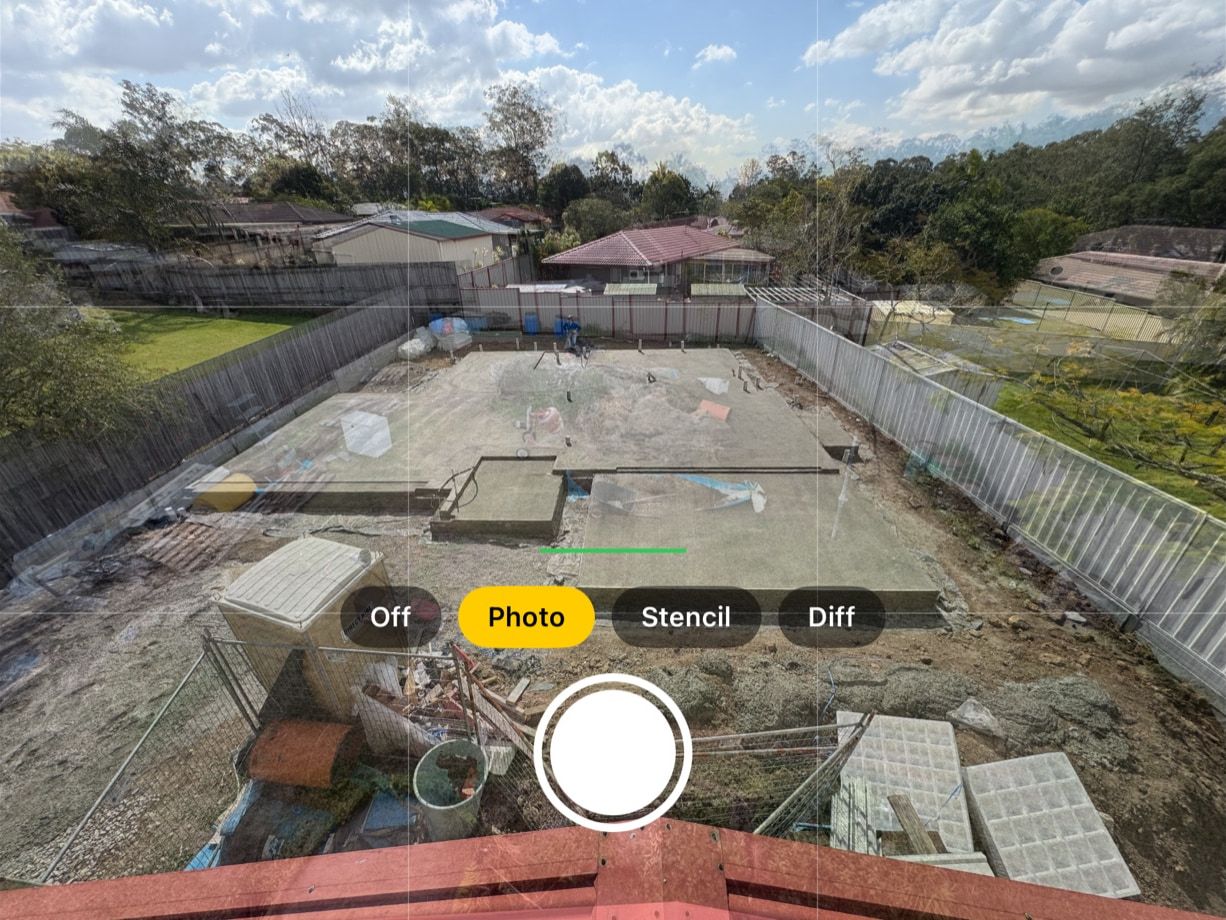
- The camera overlays a see-through key photo so you can line up each new shot. A slider sets how strongly it shows.
- Switch between Photo, Stencil, Diff and Off modes. Stencil traces the key photo's outlines, and Diff, a difference view, makes anything that has moved glow.
- In Stencil mode, a detail slider on the camera's left edge sets how many lines the stencil draws. Fewer lines usually line up better. In 0.1.0 the detail slider was also in scene settings. Since 0.2.0 it's in the camera only.
- The camera shows a rule-of-thirds grid, which a top-bar button hides. A level line turns green when the phone is level.
Your photos
- Each scene's timeline shows its photos in capture order, with a star on the key photo.
- Thumbnails show the time for projects of 48 hours or less, and day numbers for longer ones. Since 0.3.0, thumbnails show the date each photo was taken instead.
- Open a photo full size, or long-press its thumbnail, to set it as the key photo or delete it. You can't delete the key photo while the scene has other photos.
- Every photo also saves to your Photos library, and the app asks only for permission to add photos. A badge marks any that haven't saved yet, and Save missing to Photos retries them.
- In scene settings, Save to a scene album puts the scene's photos in an album named after the scene. Earlier photos go in too, and only the album needs full Photos access.
- Add from library brings back a photo from your Photos library, such as one you deleted from the scene by mistake. It took photos only. Videos followed in 0.2.0.
- A photo you add returns to its place by the date taken. It doesn't save to Photos twice and never becomes the key photo.
Time-lapse video
- Create time-lapse turns 2 or more photos into a 2880 × 2160 video. It's portrait or landscape to match the key photo.
- Pick 2, 5, 10, 15 or 30 photos per second, and see the video's length first. The video saves to Photos.
Reminders and scene settings
- In scene settings, Remind me each day sets a daily reminder at a time you choose. The scene list shows each reminder's time.
- Tapping a reminder opens that scene's camera, even when the app is closed.
- Scene settings also let you rename a scene, and its reminder follows the new name.
- Reset framing clears the lens, zoom and orientation lock, so your next photo becomes the new key photo.
- The app appears on the Home Screen as Plumb Daily, with a brass plumb bob icon.
Testing the beta
Plumb Daily is in beta testing on TestFlight, Apple's app for testing apps before release. If you're a tester, TestFlight shows the newest build it has for your device. It includes these changes, unless a later release says otherwise. How to test the Plumb Daily beta covers feedback and crash reports.
Plumb Daily isn't on the App Store yet. Join the Plumb Daily waitlist and you'll get one email when it is.