Release notes
0.2.0: moments, trimming and leaving photos out
Short videos at real speed inside your time-lapse, and a shelf for finished videos.
- iPhone
- TestFlight builds
- iPhone: builds 1–7, 8–9 August

I uploaded 0.2.0 to TestFlight later the same day, 8 August 2026, and it ran to 7 builds. Some days on a house build need more than a photo, like the crane lowering a roof truss. This version added moments for those – short videos that play at real speed inside your time-lapse.
New
Moments
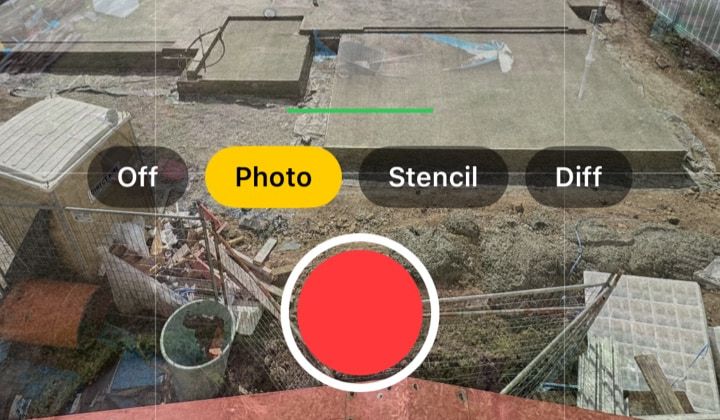
- A scene can now hold moments, which play in date order among your photos. In a scene with a key photo, tap the video button left of the shutter, then tap the red shutter to record. Like a photo, the moment saves to your Photos library.
- While you record, the overlay stays on as a guide but never appears in the footage. Recording uses your photos' 4:3 shape and zoom where the camera allows, so the cut from photos to footage barely shows. Moments you record are video only – the app doesn't record sound.
- Add from library now takes videos, which join the timeline as moments on the date they were filmed. They keep their sound in the export, and a clip of a different shape plays with black bars.
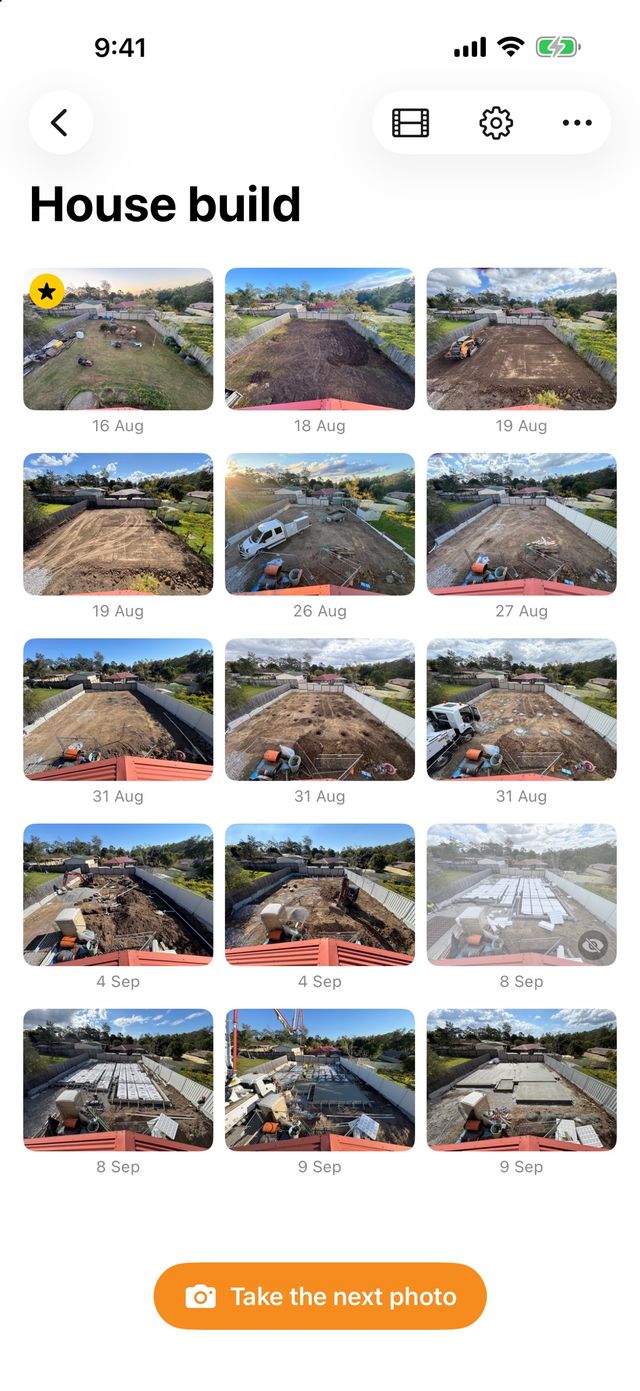
- On the timeline, moments show a play badge with their length, and they open in the viewer ready to play. A moment can't be the key photo. The video length shown before export counts moments too, for example "10 photos + 1 moment → 6.0 s".
- Trim a moment by dragging the yellow handles on the filmstrip under it in the viewer. Only that section plays in the video, and the original clip stays untouched. The trim saves when you let go, and the badge and video length show the trimmed length. Since 0.3.0, the viewer also plays only the trimmed part.
Your timeline and saved videos
- Exclude from time-lapse leaves a photo or moment out of the video without deleting it. It's in the long-press menu and the viewer's menu, and was renamed Leave out of video in 0.5.1. Left-out items stay in the timeline, dimmed with a crossed-out eye badge, and the video length updates.
- The viewer now swipes through every photo and moment in the scene, in date order. Its menu acts on the one you're looking at: set it as the key photo, exclude it or delete it.
- Finished time-lapses now stay with their scene. After an export, Watch time-lapse plays the new video full screen.
- Saved time-lapses, in the scene's menu, lists each video by date with its length and speed. It was renamed Saved videos in 0.5.1. Tap one to play it, or swipe to share or delete it. These saved videos aren't included in iPhone backups.
Changed
- The stencil detail slider now lives only in the camera, where you can watch the stencil redraw. Slide up for more lines.
- The spirit level now sits centred above the overlay buttons and shutter, instead of beside the shutter.
Fixed
- A landscape scene's camera opens with the right framing. Before, the overlay looked squashed until you turned the phone. If you hold the phone the wrong way for the scene, the overlay keeps its proportions instead of stretching.
- Closing a thumbnail's long-press menu no longer makes the preview flick to the wrong spot. A tester spotted this with Reduce Motion on.
- Daily reminders survive restoring to a new iPhone, because the app sets them up again each time it opens.
Testing the beta
Plumb Daily is in beta testing on TestFlight, Apple's app for testing apps before release. If you're a tester, TestFlight shows the newest build it has for your device. It includes these changes, unless a later release says otherwise. How to test the Plumb Daily beta covers feedback and crash reports.
Plumb Daily isn't on the App Store yet. Join the Plumb Daily waitlist and you'll get one email when it is.