Release notes
0.3.0: iCloud sync, slideshows and a live preview
Sync through your own iCloud, slideshows with transitions, and a preview before you render.
- iPhone
- TestFlight builds
- iPhone: builds 1–9, 9 August – 5 September

I uploaded 0.3.0 to TestFlight on 9 August 2026, and its 9 builds ran until 5 September. It was the first version to sync scenes between devices, through your own iCloud – there's no Plumb Daily server. It also added slideshows, and a preview you can watch before you render.
New
Sync through your own iCloud
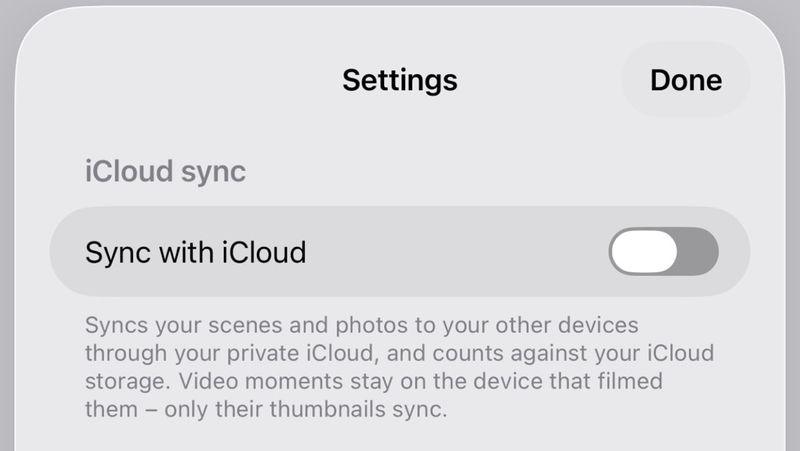
- Scenes and photos can sync between your devices through your own iCloud. Sync is off by default, and it counts against your iCloud storage.
- Sync with iCloud is in Settings, a new screen opened from the Scenes screen. After you turn it on, sync starts the next time the app opens. The switch becomes available once the app has finished preparing your library after the update. With sync on, Settings shows your iCloud account and when it last synced.
- Other devices show each photo's synced thumbnail until the full image arrives. Video moments stay on the device that filmed them, so other devices show their thumbnail, marked "Video is on your other device". In 0.3.0, a moment like that stopped the export on those devices. Since 0.5.0, the export leaves it out.
Slideshows and a live preview
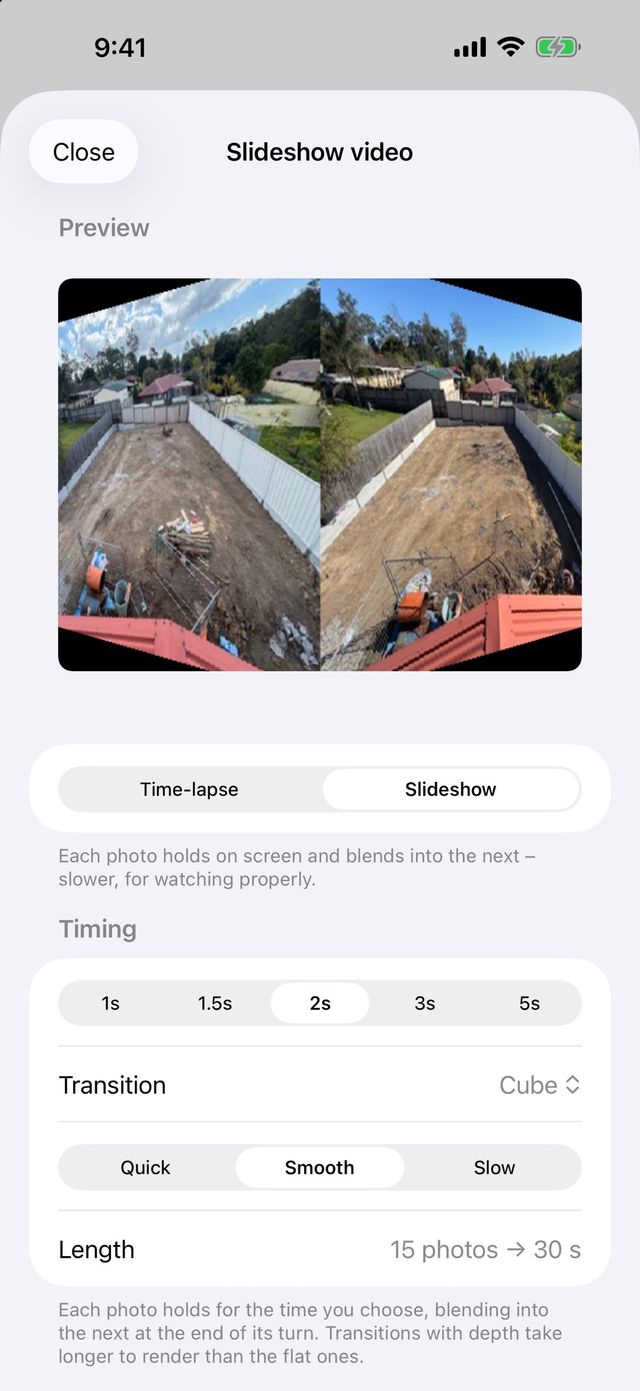
- Videos come in 2 styles: the classic time-lapse, or a new slideshow. A slideshow gives each photo 1, 1.5, 2, 3 or 5 seconds on screen, transition included.
- Slideshows offer 6 transitions – cut, dissolve, fade through black, push, slide over and reveal – at a quick, smooth or slow pace.
- Slideshows also offer 3 transitions with depth: zoom through, flip (a card turning over) and cube (2 faces folding on a shared edge). The video screen warns that these take longer to render.
- The video screen plays a live preview before you create anything – tap it to play or pause. It draws each frame as the finished video will, transitions and zoom included, and marks video moments with a badge.
- A new Motion setting, Gentle zoom, pushes slowly into the scene across the whole video, ending 12 per cent closer. The Mac calls the same effect Slow push-in.
Your photos
- Pinch to zoom in the photo viewer, up to 5×, and drag to look around. Double-tap to switch between the fitted view and a 2.5× close-up.
- Photos left without a scene go into a "Recovered photos" scene instead of staying hidden. This can happen when one device deletes a scene while another is still adding to it. Since 0.5.1, photos that sync in before their scene stay in that scene.
Changed
- Updating moves your library to a sync-ready storage format, with trims, left-out photos and each scene's lens, zoom and orientation lock intact.
- Thumbnails show the date each photo was taken, instead of a time or day number. The year appears only when it isn't this year. Landscape scenes get landscape-shaped tiles in the photo grid and on the Scenes screen, instead of portrait crops.
- The video screen's title and main button follow the style you pick, such as Create slideshow.
Fixed
- Your phone no longer auto-locks while a video builds, which used to stop the export with an unclear error. If the app leaves the screen long enough to stop the build, it says why and offers Try again.
- In the viewer, a trimmed moment plays only the part used in the video, then rewinds so the next tap replays it. The caption under the trim handles shows how many seconds are used in the video.
- Touch and hold a photo in a landscape scene, and the preview now matches the photo's shape. It used to sit in a portrait frame.
Testing the beta
Plumb Daily is in beta testing on TestFlight, Apple's app for testing apps before release. If you're a tester, TestFlight shows the newest build it has for your device. It includes these changes, unless a later release says otherwise. How to test the Plumb Daily beta covers feedback and crash reports.
Plumb Daily isn't on the App Store yet. Join the Plumb Daily waitlist and you'll get one email when it is.