
Release notes
0.5.0: Align All lines up every photo on the Mac
Align All on the Mac, steadier iPhone exports, and moment videos from iCloud Photos.
- iPhone
- Mac
- TestFlight builds
- iPhone: build 1, 23 September; build 2, 28 September
- Mac: builds 1–2, 23 September; build 3, 28 September

I uploaded 0.5.0 to TestFlight on 23 September 2026, for iPhone and Mac. Even with the camera guides, handheld photos drift a little from day to day. Align All now corrects that drift on your Mac, and your iPhone's exports use the same alignment.
On the Mac
New
- Align All lines every photo up with the key photo, correcting small shifts, turns and changes in scale. Click it in the toolbar, press Command-L, or choose Photo, then Align All Photos.
- Align Selected Photos (Shift-Command-L) lines up just the selection. A banner shows progress, with a Stop button.
- Photos you've lined up by hand are left alone. Any that Align All can't match with confidence are marked "Needs a hand" and listed under Needs Attention.
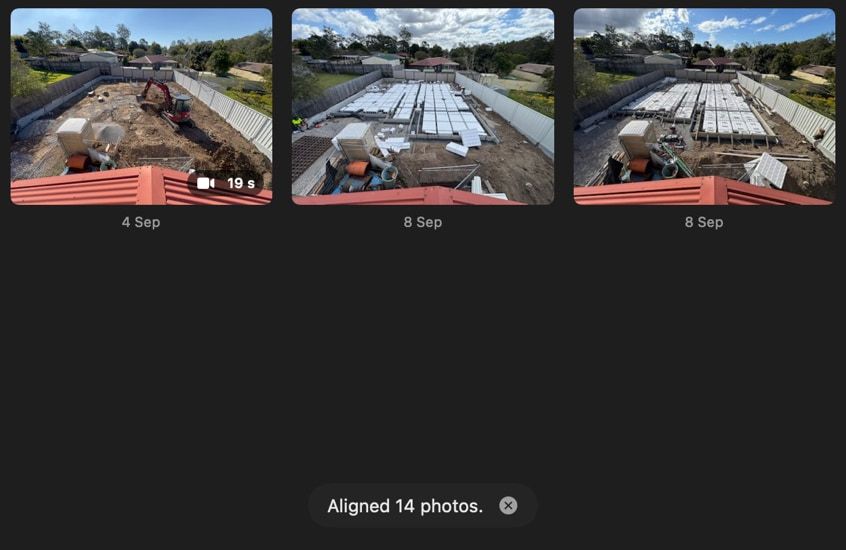
- Adjust Alignment… (Command-J) opens the nudge editor, which lines one photo up by hand against the key photo or the previous photo. Check the fit as an onion skin (one photo laid see-through over the other), a difference or the stencil.
- Drag the photo or nudge it with the arrow keys (hold Shift for bigger steps), then turn and scale it with the sliders. Or let Auto-Align make a first attempt.
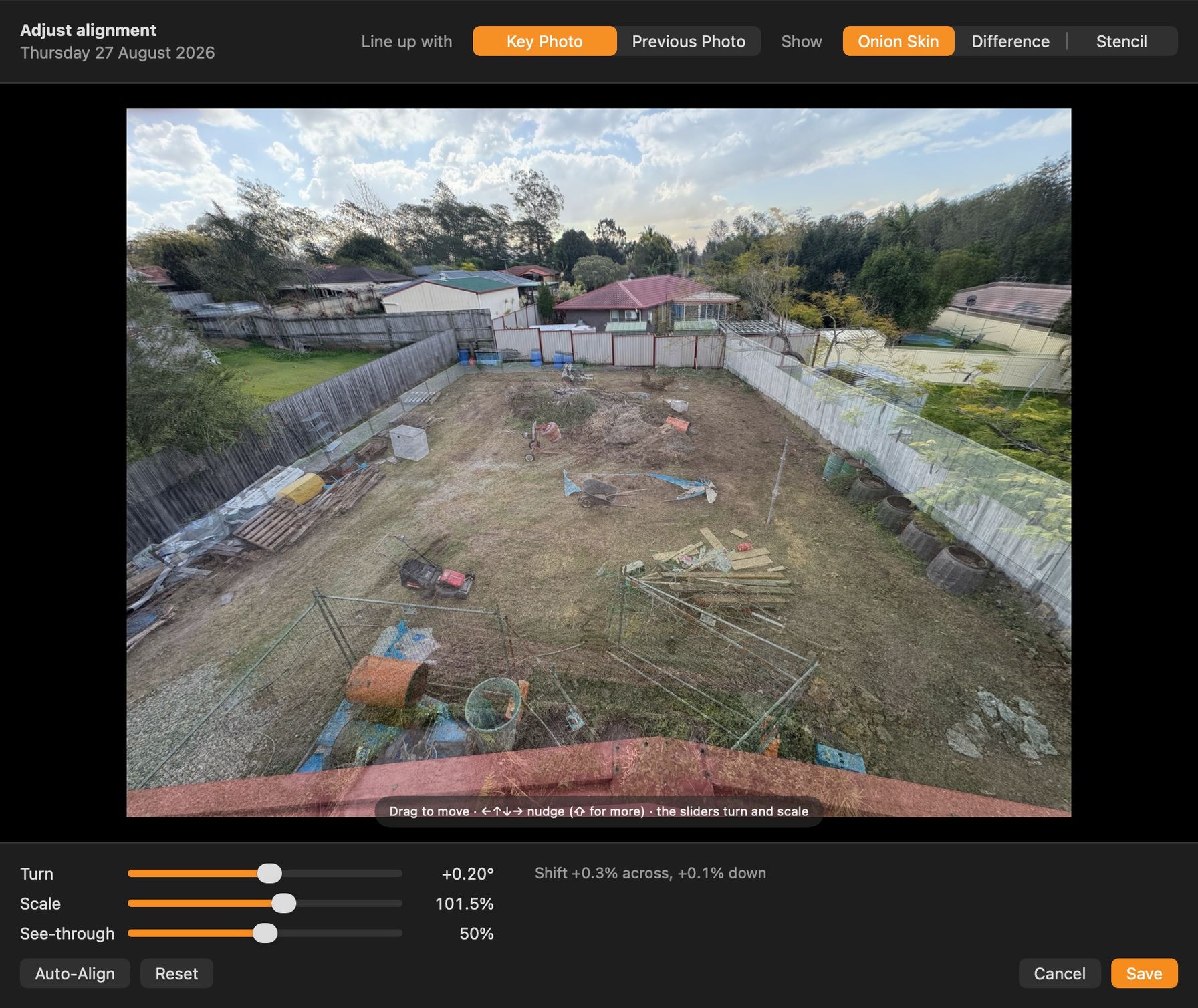
- Alignment shows in the list's Aligned column and as badges in the grid. Right-click a photo to align it, adjust it by hand or reset it.
- The inspector's Alignment section gives each photo's shift, turn and scale. Its scene overview counts the photos aligned and those needing a hand.
- The export studio's Align photos setting, on by default, applies each photo's alignment to the preview and the video. One zoom for the whole video, up to 1.3 times, hides the black edges alignment uncovers, so the framing holds steady.
- Compare has an Aligned toggle, on by default, so you can judge how well 2 photos line up.
- Changing the key photo on your Mac or iPhone carries every alignment across, so nothing jumps in the video. Photos Align All hasn't measured yet keep an estimated position until the next run. If the key changes during a run, the run stops and says so.
- Get from Photos fetches a moment's video from your iCloud Photos library. Use it on a moment or in the inspector, or in the export studio for every missing moment at once. It needs Photos access and iCloud Photos on the Mac.
Changed
- The main window is now a single window: choose Window, then Scenes (Command-0). You can always bring it back, even with only Compare or the export studio open, without opening a second copy.
- Compare's Difference view evens out both photos' brightness first. A sunny day against a dull one no longer lights up the whole frame.
Fixed
- When the key photo changes on another device, Compare's stencil rebuilds from the new key.
- Slideshow videos end on time – the last photo no longer stays on screen for nearly an extra hold.
- Adding photos from Finder to a new scene makes the earliest photo the key photo. Before, a video that loaded first could leave the scene with no key photo.
- The export studio keeps up with the main window, and re-reads everything before exporting. Its date range follows syncs and deletions, and trims and newly linked videos apply straight away.
- Command-Delete in the search field deletes text, not the selected photos. The Delete key still deletes photos, and now works in the full-size viewer too.
On iPhone
New
- Photos lined up on the Mac stay lined up in your exports and the export preview, with the same steady zoom.
- Changing the key photo on your iPhone or Mac carries every alignment across, so nothing jumps in the video. Photos Align All hasn't measured yet keep an estimated position until it next runs on the Mac.
- Your iPhone now records where iCloud Photos keeps each moment's video, so the Mac can fetch it. Older moments get this the next time the app opens. This needs permission to read your Photos library, not just add to it. The app asks for that only when you turn on Save to a scene album.
Fixed
- Exporting no longer fails when a moment's video isn't on this iPhone, such as a moment from another phone or the Mac. The video and the export preview leave those moments out.
- In a scene started on the Mac, your first iPhone photo locks the lens, zoom and orientation. That photo must match the key photo's orientation. Thumbnails, the export preview and the video take the key photo's shape.
- When the key photo changes on another device, the camera's overlay and stencil rebuild from the new key.
- Slideshow videos end on time – the last photo no longer stays on screen for nearly an extra hold.
- Slideshows cut cleanly into and out of moments, in the video and the export preview. Before, the photo before a moment dissolved towards the photo after it.
- A reminder clears when its scene is deleted on another device, and follows a rename made elsewhere. A reminder for a deleted scene opens a "Scene not found" screen you can close.
Testing the beta
Plumb Daily is in beta testing on TestFlight, Apple's app for testing apps before release. If you're a tester, TestFlight shows the newest build it has for your device. It includes these changes, unless a later release says otherwise. How to test the Plumb Daily beta covers feedback and crash reports.
Plumb Daily isn't on the App Store yet. Join the Plumb Daily waitlist and you'll get one email when it is.